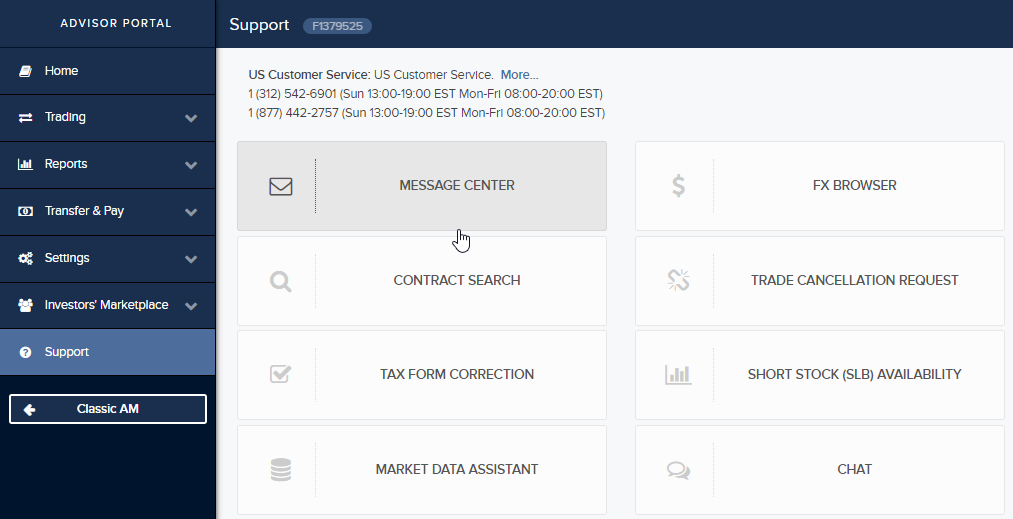
Before you can use the
Note: For newly-added FA client accounts, it takes up to one full business day from the time the account is approved before it will be available as a questionnaire recipient in the Message Center.
To enable the IBKR Client Risk Profile tool
1. Log into the Advisor Portal (Account Management) and from the Support menu select Message Center. Click to go there now: https://gdcdyn.interactivebrokers.com/sso/Login
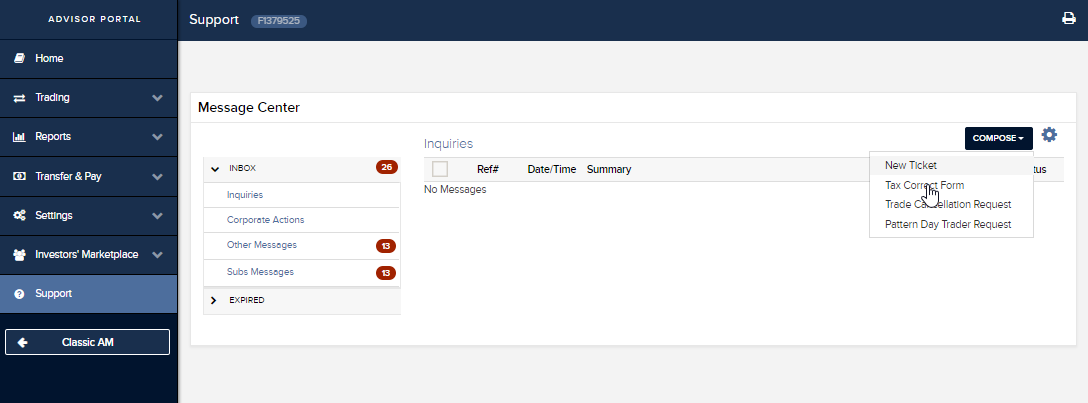
2. In the top right corner of the Inquires screen, click Compose and then New Ticket.
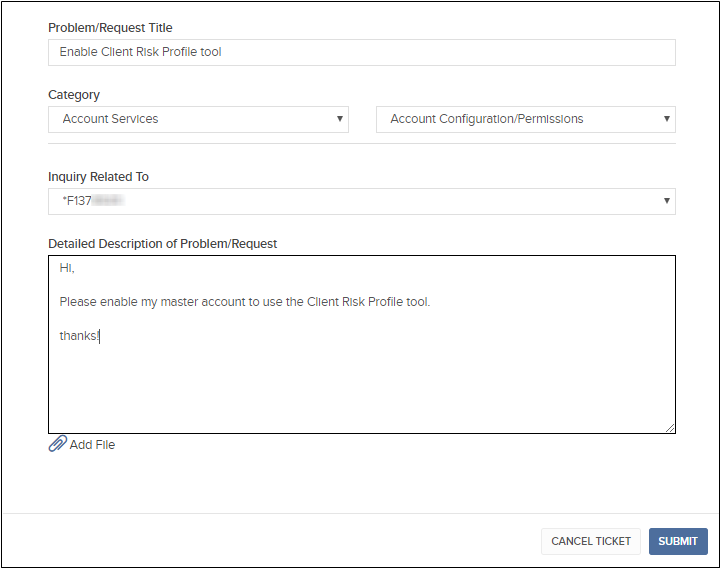
3. In the New Inquiry form, enter the following information:
4. Submit the inquiry.
Your account should be enabled for the Client Risk Profile tool within 2 business days. You will be notified when the account is enabled via a Message Center notification.