Open topic with navigation
Create a Questionnaire
Craft a custom client questionnaire designed to identify your clients’ risk capacity, risk need and risk tolerance.
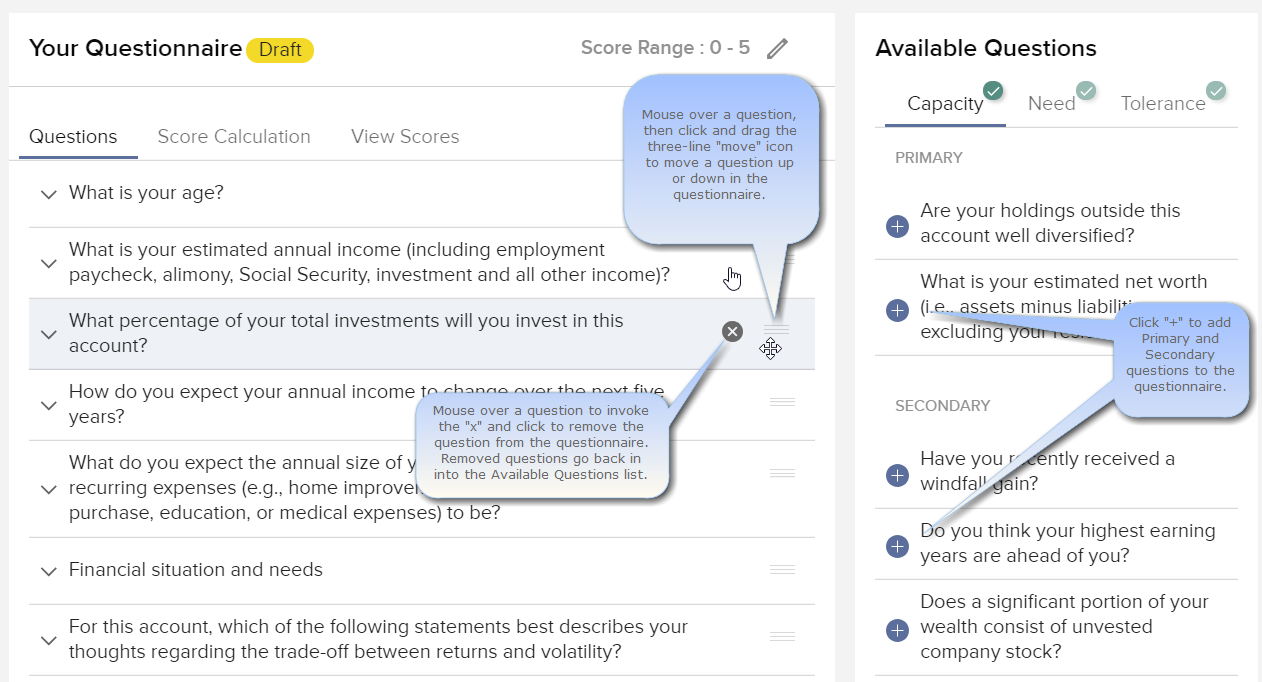
To create a questionnaire
1. Log into the Advisor Portal (Account Management) and navigate to Settings and then Account Settings.
2. From the Configuration panel on the right side of the window, select the Client Questionnaire Editor gear icon.
3. In the editor, create a questionnaire by choosing questions from the panel on the right side of the page.
- To add a question: Click the “+” sign to add a question to the draft version of the questionnaire in the left panel.
- To remove a question: Hold your mouse over the question and click the "x" to remove the question from the questionnaire. You can re-add at any time from the Available Questions panel.
- To move a question higher or lower: Hold your mouse over the question, then click and drag it up or down using the three horizontal lines "move" icon.
The Available Questions list is broken into three categories: Capacity, Need and Tolerance.
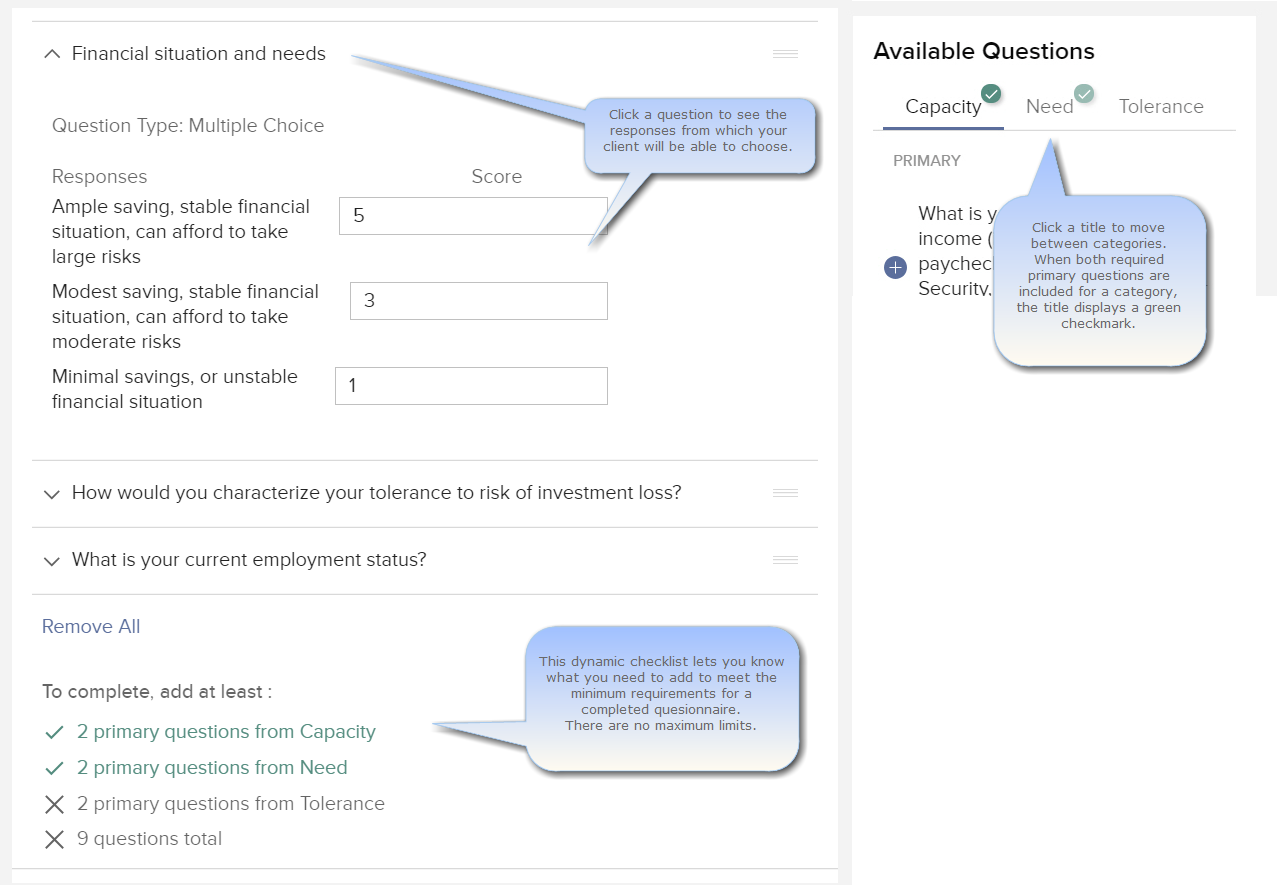
- You must include at least two (2) questions from each category. Click the category title to switch between categories.
- You must include a minimum of nine questions total.
- There is no limit to the number of questions you can include.
- The bottom of the questionnaire provides a dynamic checklist that tells you when you have satisfied the minimum requirements of a completed questionnaire. Using the image above, the questionnaire still needs two Primary questions from the Tolerance category, and more questions to make the 9 question minimum.
- To help you better understand a question, hold your mouse over a question to see the answers that will be available to clients.
4. Continue to add questions until you deem the questionnaire is complete.

5. Click Save at the bottom of the page to save your draft. Click to activate the questionnaire so you can distribute it to clients.