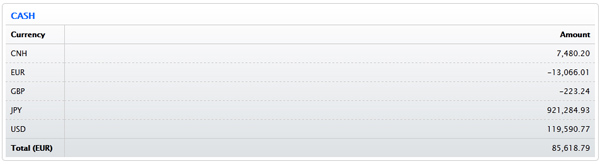
The Positions tab displays all of the positions and cash in your account
Currently, the Positions tab is only visible to Individual, Joint, Trust, and IRA accounts that are NOT Advisor or Fully Disclosed clients. If you are a master user in an institution account (Advisor, Broker, Multiple Hedge Fund, Proprietary Trading Group STL), you can view Positions for your clients, funds or sub accounts in the Manage Clients/Funds/Traders menu under Accounts > View > Summary.
For example, here is the Positions tab for an account with cash in several currencies.